NexRide Bike Battery Check and Bike Hub Charging Location
Last updated:
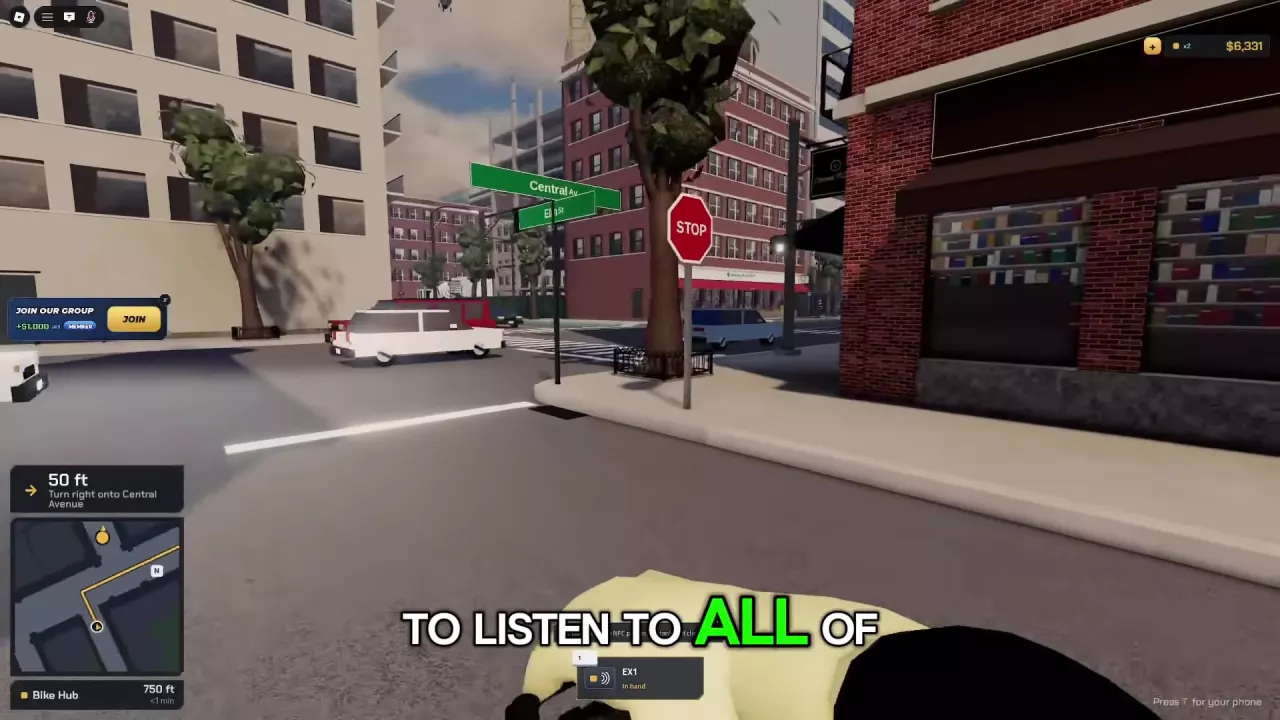
Check your bike’s current charge from your phone and use Maps to find the charging facility inside Bike Hub.
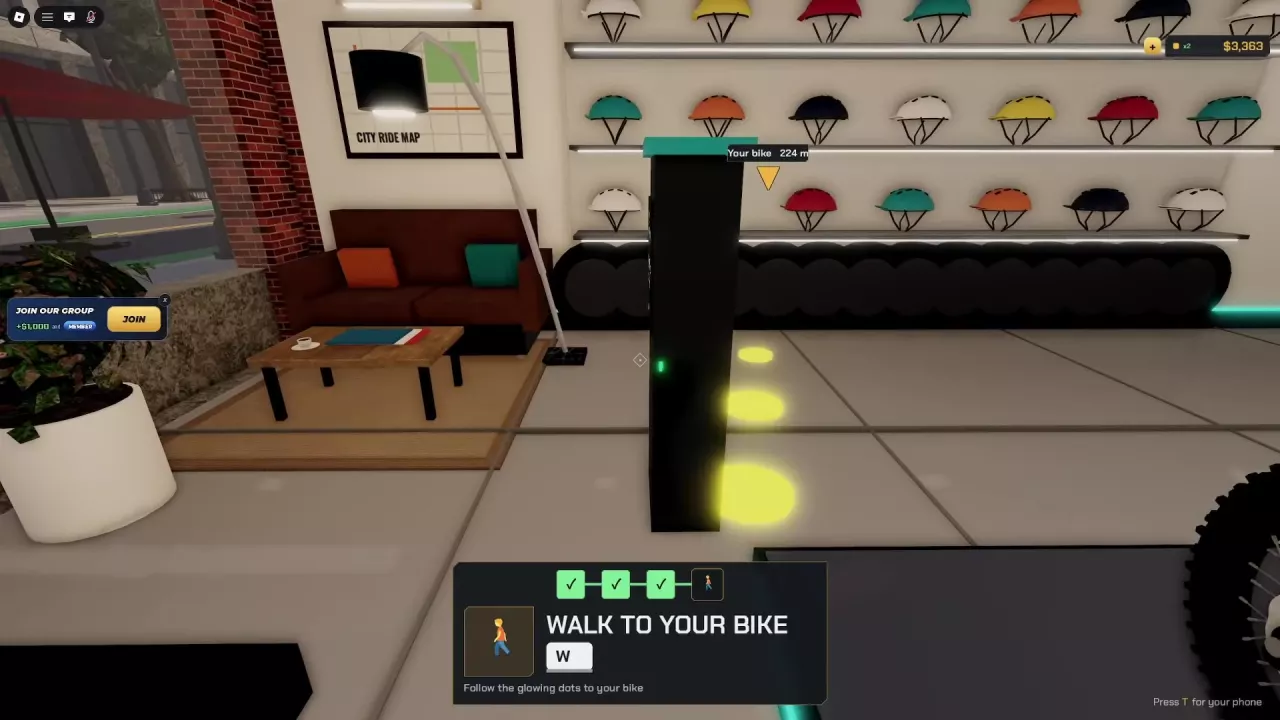
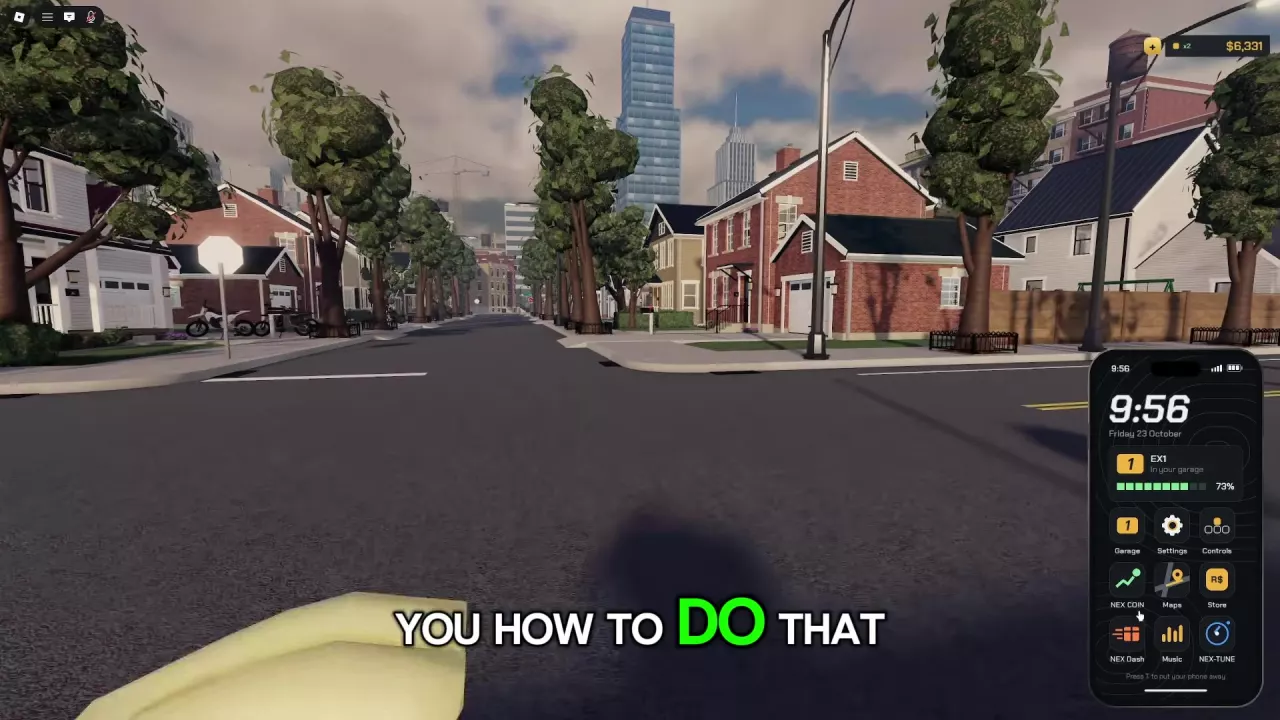
Press T, open Garage, and read the battery level on your owned bike’s vehicle card. EX1 lists 27 mi of range and ZOOTIO lists 17 mi; these are shop specifications, separate from current charge. To find the charging station, open Maps, select Bike Hub, and follow the yellow route. Inside, look for a tall black unit with a teal top and a green light on the front.
Check Battery on the Garage Vehicle Card
You need to own a bike to check its vehicle card.
- Press T to open your phone.
- Open Garage.
- Read the battery level on your bike’s vehicle card. An owned EX1 displays its current charge as a percentage with a battery bar.
For help locating the vehicle or understanding its stored status, see the Garage and bike recovery guide.
Battery Level and Listed Range Mean Different Things
The vehicle card reports your bike’s current charge. The range in the bike shop is a model specification, measured in miles. EX1’s listed 27 mi range does not mean your current EX1 has 27 mi left to ride.
EX1 has the longer listed range of these two models, making it the stronger choice when that specification is your priority. Compare their other attributes in the bike prices and specifications guide.
Find the Charging Station at Bike Hub
Bike Hub offers bike charging. Reach its charging facility through the phone’s navigation:
- Press T and open Maps.
- Select Bike Hub and start navigation.
- Follow the yellow route on the minimap, using the turn prompts and remaining distance. As you approach, check the prompt showing which side of the road Bike Hub is on.
- Enter Bike Hub and look for the tall black charging station with a teal top and a green indicator on the front. It stands in front of the helmet display wall, beside the seating area.
Stop at STOP signs and red lights along the way; ignoring road instructions can trigger a police chase.
For the shop’s other service locations, use the Bike Hub navigation guide.