
NexRide PC Controls: Start Your Bike, Use SPORT and Recover
Last updated:
Starting a bike in NexRide depends on its ignition system. Use the EX1’s handheld NFC key or follow the Ignition key tutorial, then watch for READY before riding.
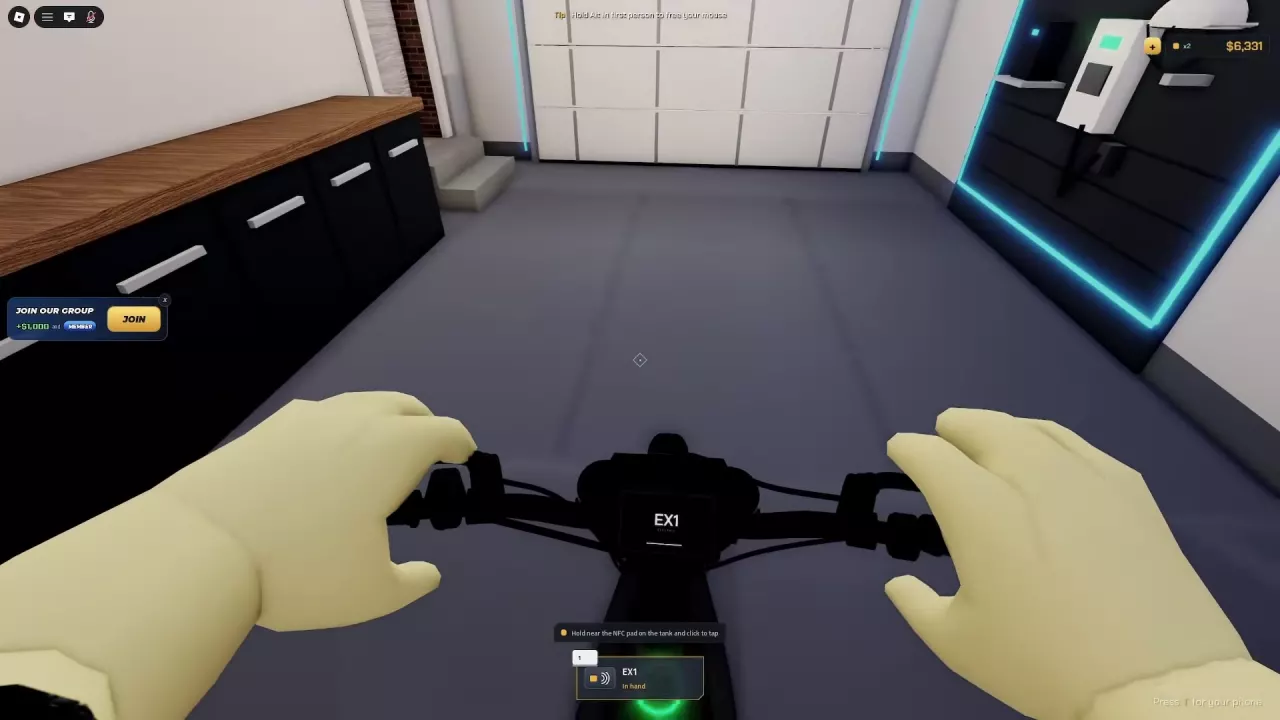
Press T for your phone, hold Alt in first person to free the cursor, and click the seat to mount. Start EX1 by tapping its handheld key against the NFC pad and raising the kickstand. For the Ignition key tutorial, press P, wait for the display, press K, and keep the throttle closed until READY. Click the + button labeled Standard → sport to enable SPORT. After a crash, press Space when prompted, then click Get on once the bike is upright.
Phone, Mouse and Mounting Controls
| Action | PC control | When to use it |
|---|---|---|
| Open or close the phone | Press T | Access phone apps |
| Free the mouse cursor | Hold Alt | Click interactions in first person |
| Mount a bike | Aim at the seat or Get on, then click | When the mounting interaction is available |
| Walk forward | Press W | Follow the WALK TO YOUR BIKE tutorial |
Open the phone and select Controls to access its controls entry. The home screen also includes Garage, Settings, NEX COIN, Maps, Store, NEX Dash, Music, and NEX-TUNE. To find NEX Dash, press T and look on this home screen.
People menu shortcuts
The People menu lists players in your current server and includes Invite Friends and Mute All. Its session shortcuts apply within that menu:
| People menu action | Shortcut |
|---|---|
| Leave | L |
| Respawn your character | R |
| Resume | Esc |
For riding tricks, see the wheelie controls and Near Miss rewards guide.
Start EX1 with the NFC Key
Have your EX1 Main key available, then follow these steps:
- Click the EX1’s seat to mount.
- Take out the key. If it is assigned to hotbar slot 1, press 1. The key’s status changes to In hand.
- Hold the key near the NFC pad on the tank and click to tap it.
- Click Raise kickstand to retract the stand.
- Wait for READY on the display. With the bike powered on and the stand raised, you can ride.
You can also raise the kickstand before tapping the NFC key. Both actions must be complete for the EX1 to be ready.
Start a Bike with the Ignition Key Tutorial
Use this sequence for the NXR-marked bike with the Ignition key tutorial. Identify this startup method by the interaction label and tutorial prompts.
- Aim at the highlighted seat and click to mount.
- Press P, or click the Ignition key interaction, to turn the key on.
- Wait for the instrument display to finish starting.
- Press K to raise the kickstand.
- Keep the throttle closed and wait for the bike to enter READY automatically.
READY confirms that startup is complete and the bike can be ridden.
When the Bike Is Not READY
Match the message to your bike’s startup method:
| Message or startup state | What to do |
|---|---|
| EX1: RAISE KICKSTAND or Raise the kickstand first | Click Raise kickstand. Powering on the EX1 alone does not make it ready to ride. |
| Ignition key tutorial: Not ready: stand is down | Press K to retract the stand. |
| Ignition key tutorial: display still starting or READY has not appeared | Keep the throttle closed and let startup finish. |
Use the EX1 NFC sequence or the Ignition key sequence for the remaining startup steps.
Switch from Standard to SPORT
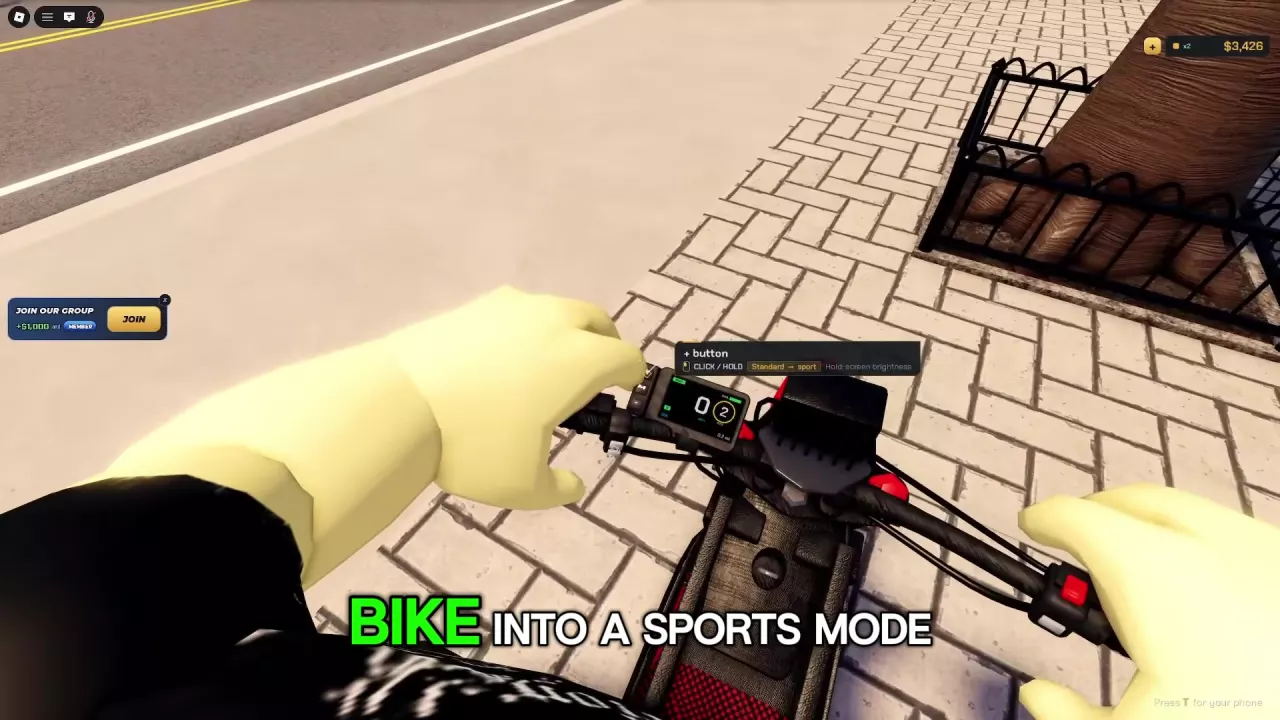
On a bike whose + button displays Standard → sport, use the control beside the digital instrument display:
- Look down at the vertical button group to the left of the display.
- Aim at the upper + button and confirm the Standard → sport prompt.
- Click the button.
- Look for the SPORT notification. On this bike, the mode number changes from 2 to 3.
Click to change the riding mode; holding this button adjusts screen brightness. SPORT is the faster riding mode here, so check this setting if the bike feels slow.
For model-specific riding modes and tuning support, see the NexRide bike specifications and features.
Get Up and Remount After a Crash
- When Press Space to get back up appears, press Space to get your character up.
- Once the bike is upright and Get on appears, aim at that prompt and click to remount.
If the bike is badly damaged and displays Respawn bike, press R to restore it to working condition for free. This is the damaged-bike prompt; R in the People menu respawns your character.
If you need to locate or bring back a bike, follow the garage and bike recovery guide.