
NexRide Bike Hub Location: Maps and Shop Services
Last updated:
Bike Hub brings bike purchasing, customization, and charging together. Use your phone’s Maps app to reach it, then identify the service you need inside.
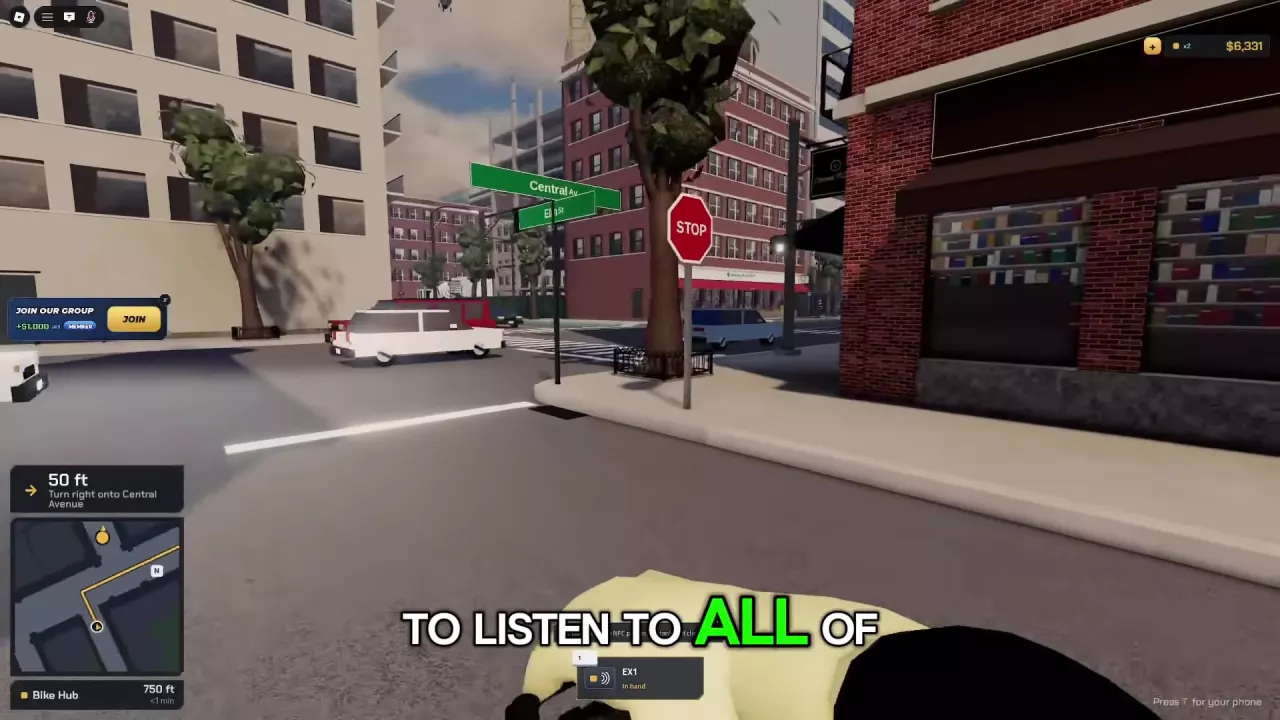
Press T → Maps → Bike Hub and start navigation. Follow the yellow minimap route, turn prompts, and arrival guidance indicating which side of the road Bike Hub is on. Inside, approach Spoke & Volt and press E on Buy a bike for the shop menu. Bike Hub also offers customization; find its charging station by the tall black body, teal top, and green front light.
Set Bike Hub as Your Maps Destination
- Press T to open your phone.
- Open Maps.
- Find Bike Hub and start route navigation.
Follow the Yellow Route and Arrival Prompts
Follow the yellow line on the minimap toward Bike Hub. Use the navigation information together:
- Turn prompts tell you the direction of the next turn and how far away it is.
- Remaining distance tells you how far you are from Bike Hub.
- Estimated travel time helps you judge how much of the trip remains.
- Arrival guidance indicates which side of the road the destination is on as you approach.
Stop at STOP signs and red traffic lights; proceed on green. Ignoring road instructions or running red lights can trigger a police chase. If you attract police attention, use the police chase guide for pursuit controls and arrest consequences.
Find the Service You Need Inside Bike Hub
- Buy a bike: Find the counter labeled Spoke & Volt. Approach it and press E when Buy a bike appears to open Bikes for sale. Continue with the bike purchase and collection steps to choose a model and retrieve your purchase.
- Customize your bike: Bike Hub offers bike customization. For cosmetic benefits that include underglow and VIP-only paint, see the VIP perks guide.
- Find the charging facility: Look inside the shop for a tall black station with a teal top and a green indicator light on the front, near the wall-mounted helmets. See battery checks and the charging location for checking your bike’s charge and understanding its listed range.
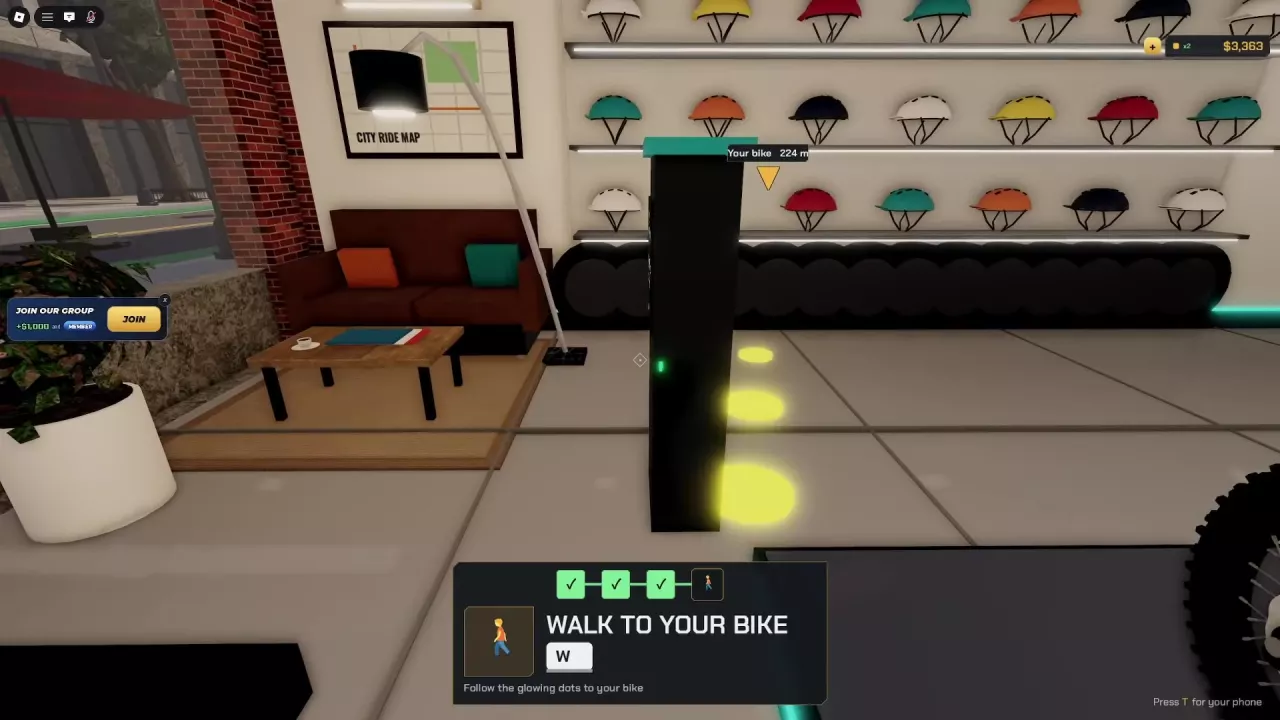
Display Bikes and Helmet Landmarks
The helmets mounted on the shop wall provide another interior landmark. Use the helmet display directory to browse their colors, designs, and display locations.