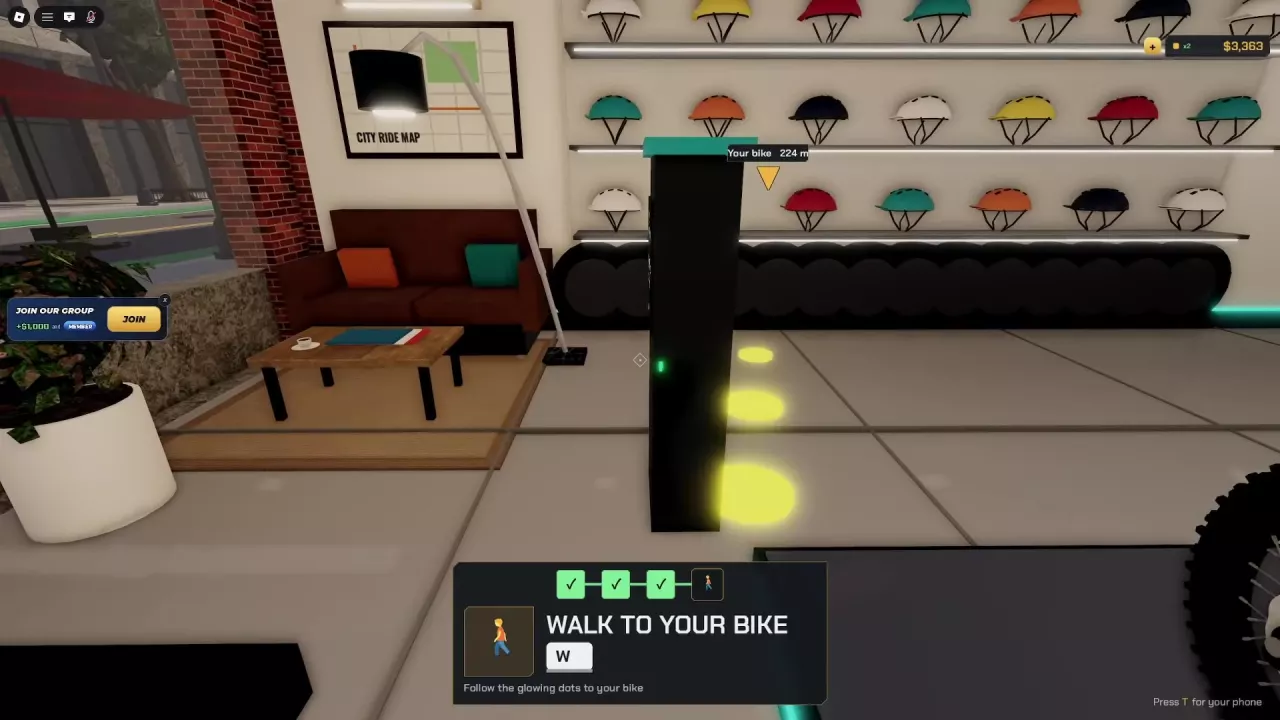
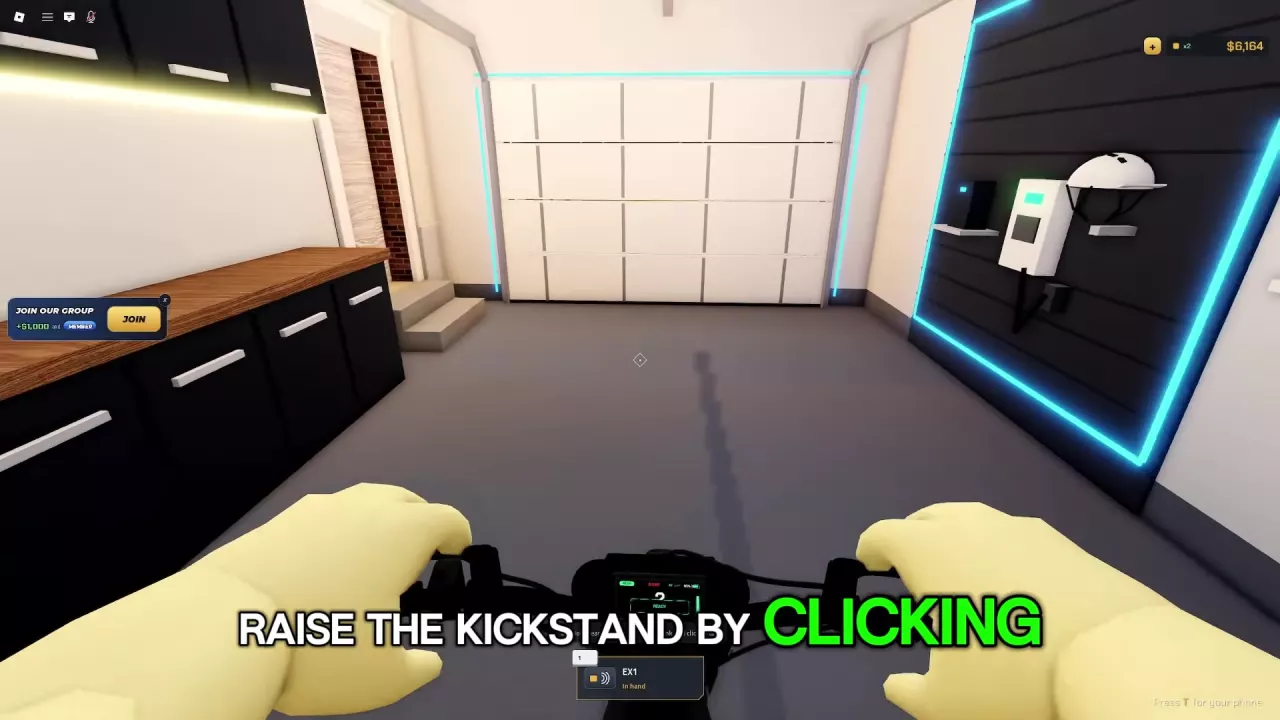
Find NexRide helmet colors and display locations: six colors on the Bike Hub wall, plus the white helmet with a black lower guard in the garage.
7 objects
Helmet display colors, designs and locations at Bike Hub and in the garage.
Teal Helmet Display
Shell color
Teal
Design
Black straps
Display location
Bike Hub shop wall
More details
Displayed at
Bike Hub
Orange Helmet Display
Shell color
Orange
Design
Black straps
Display location
Bike Hub shop wall
More details
Displayed at
Bike Hub
Dark Helmet Display
Shell color
Dark
Design
Black straps
Display location
Bike Hub shop wall
More details
Displayed at
Bike Hub
White Helmet Display at Bike Hub
Shell color
White
Design
Black straps
Display location
Bike Hub shop wall
More details
Displayed at
Bike Hub
Yellow Helmet Display
Shell color
Yellow
Design
Black straps
Display location
Bike Hub shop wall
More details
Displayed at
Bike Hub
Red Helmet Display
Shell color
Red
Design
Black straps
Display location
Bike Hub shop wall
More details
Displayed at
Bike Hub
White Helmet Display in the Garage
Shell color
White
Design
Black lower guard
Display location
Garage, right-hand wall
More details
Displayed at
Garage
Find helmet displays by color, compare their design details, and locate them at Bike Hub or in the garage.
Bike Hub displays teal, orange, dark, white, yellow, and red helmets on its wall, all with black straps. A separate white helmet with a black lower guard is mounted on the garage’s right-hand wall.
Browse Helmet Colors and Display Locations
Search by color name or filter by display location to find the helmet you’re looking for.
Teal Helmet Display
Shell color
Teal
Design
Black straps
Display location
Bike Hub shop wall
Orange Helmet Display
Shell color
Orange
Design
Black straps
Display location
Bike Hub shop wall
Dark Helmet Display
Shell color
Dark
Design
Black straps
Display location
Bike Hub shop wall
White Helmet Display at Bike Hub
Shell color
White
Design
Black straps
Display location
Bike Hub shop wall
Yellow Helmet Display
Shell color
Yellow
Design
Black straps
Display location
Bike Hub shop wall
Red Helmet Display
Shell color
Red
Design
Black straps
Display location
Bike Hub shop wall
White Helmet Display in the Garage
Shell color
White
Design
Black lower guard
Display location
Garage, right-hand wall
Find the Bike Hub and Garage Displays
Bike Hub
Press T to open your phone.
Select Maps, then Bike Hub.
Follow the yellow navigation route to the shop, then head inside and look for the wall-mounted helmets with black straps.
See the Bike Hub location guide for navigation prompts and other services at the destination.
Garage
Look on the right-hand wall for a helmet with a white shell and black lower guard. Use that lower guard to distinguish this display from the white helmet with black straps at Bike Hub.