
How to Buy and Collect a Bike in NexRide
Last updated:
Buy your next bike at Spoke & Volt inside Bike Hub. Use your phone to reach the shop, choose a model in the purchase menu, then collect your new ride.
Press T, open Maps, and select Bike Hub. Follow the yellow route, approach the Spoke & Volt counter, and press E on Buy a bike. Select a model and use its purchase button. When WALK TO YOUR BIKE appears, press W and follow the glowing dots toward Your bike. You can also reset your character after purchasing to return to the garage and collect it there.
Navigate to Bike Hub and Find Spoke & Volt
- Press T to open your phone.
- Open Maps and select Bike Hub.
- Follow the yellow route on the minimap and the turn prompts. As you approach, use the arrival prompt to identify which side of the road the shop is on.
- Enter Bike Hub and approach the Spoke & Volt counter.
- Press E when Buy a bike appears to open Bikes for sale.
Bike Hub is the Maps destination; Spoke & Volt is the bike-buying counter inside. For the shop’s other services and landmarks, see the Bike Hub location guide.
Choose a Model and Check the Purchase Button
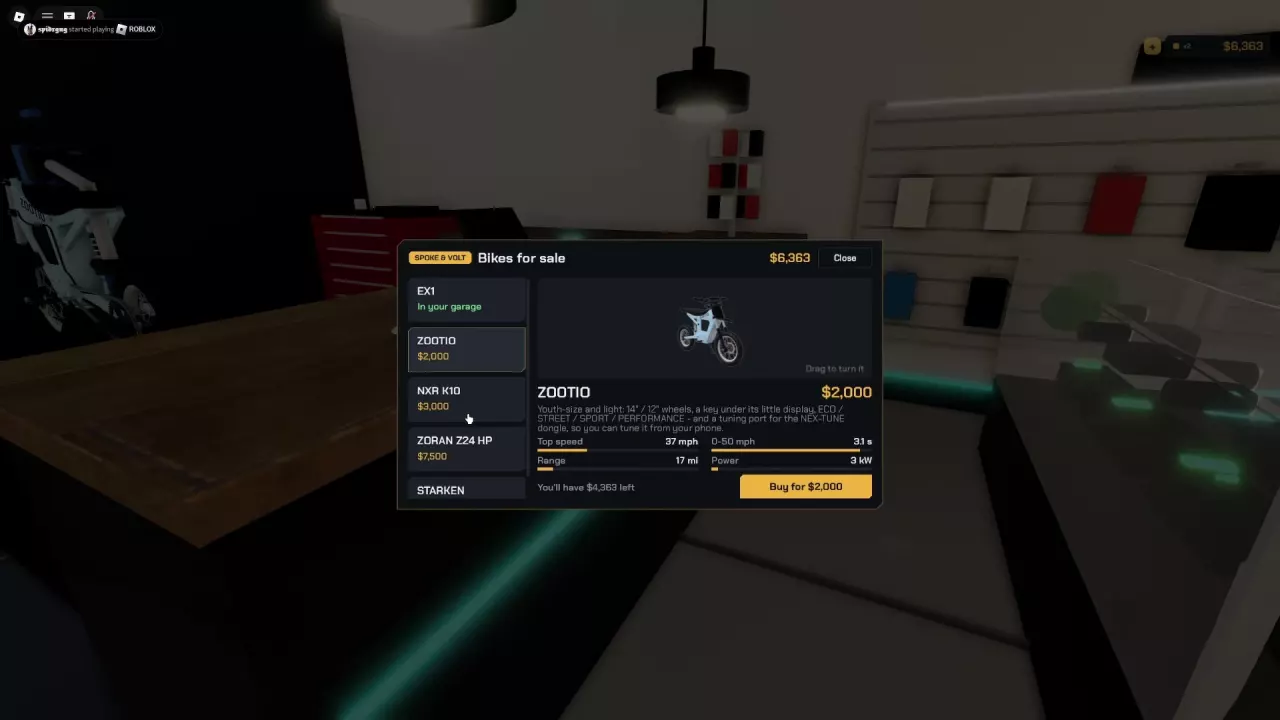
- Select a model from the list on the left side of Bikes for sale.
- Review the selected model’s description and specifications. Drag the vehicle preview to rotate the bike.
- Check the purchase button at the lower right and the projected cash remaining beside it.
With ZOOTIO selected, Buy for $2,000 means the bike costs $2,000 in cash. The remaining-cash preview shows what your balance would be after that purchase.
Before spending, use the bike prices and specifications guide to compare models and decide whether to keep your starter EX1 or buy ZOOTIO.
Buy the Bike and Follow Your Bike
- Use the purchase button for your selected model.
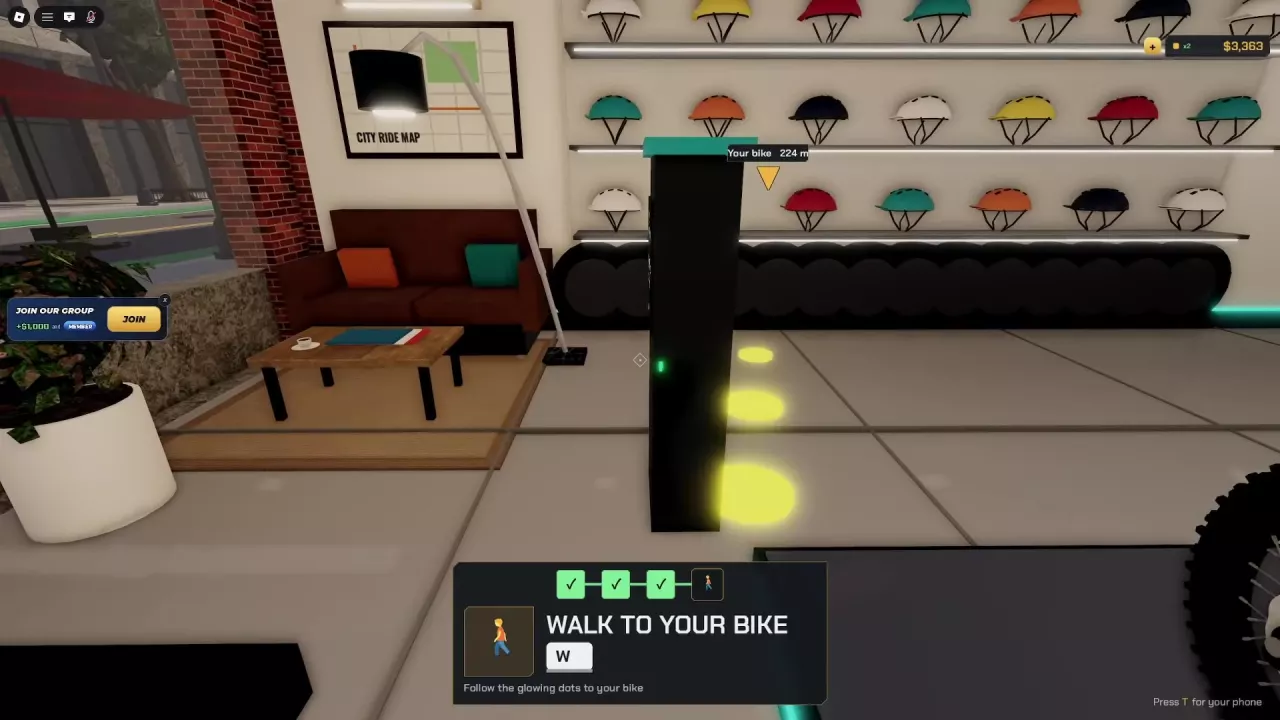
- When WALK TO YOUR BIKE appears, press W to walk.
- Follow the glowing dots on the ground toward the Your bike marker to reach your purchased bike.
If you prefer to collect it from your garage, use the garage collection route below.
Collect the Purchased Bike from Your Garage
After buying a bike, you can return to your garage to collect it:
- Reset your character to return to the garage.
- Find your purchased bike.
- Approach it and click its seat to get on.
Follow the startup prompts for the bike you board. EX1 uses a key and NFC reader; a bike with an Ignition key tutorial uses that startup sequence. See the bike startup controls for the steps that match your bike.
For phone spawning, garage status, or damaged-bike recovery, use the garage and bike recovery guide.